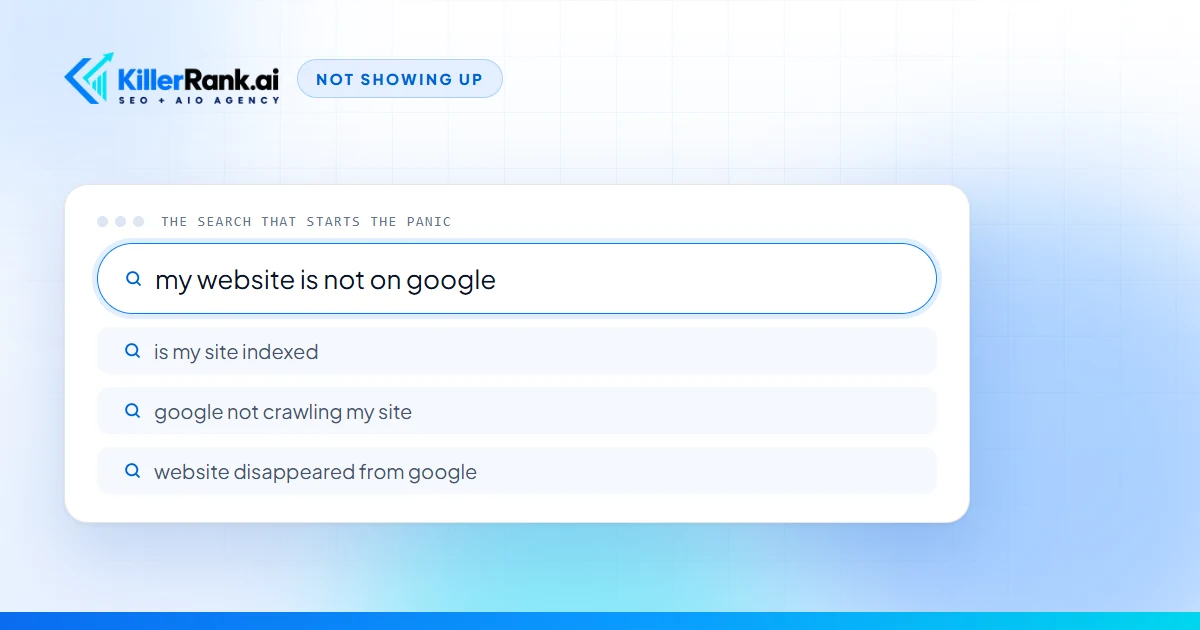
Every week an owner tells me some version of the same thing. “We’ve had the website for years. I typed in what we do and we’re nowhere. The guy who started last spring shows up and we don’t.” Then comes the question that probably brought you here: why is my website not showing up on Google?
The good news is that there are only seven real causes, and they sort cleanly from “Google has never seen your site” to “Google has seen it and ranked three other businesses ahead of you.” The order matters, because each one is cheaper to check than the next, and the first two you can fix yourself without paying anybody. I run an SEO company. I would still rather you check the free things first, because a business that pays us to fix a checkbox is a business that stops trusting SEO companies.
Why is my website not showing up on Google?
Those seven fall into four groups. The first two are visibility problems: Google cannot see the site at all. The next two are relevance problems: Google sees the site but has no idea it should match your search. The fifth is a technical fault that stops Google reading what is there. The sixth is the honest one, you are in the race and losing it. The seventh is a penalty, which is rare and gets checked last for that reason.
You need two free tools to work through the list: Google itself, and Google Search Console, a free account that shows you exactly what Google has crawled, indexed and refused. Set one up before you read the rest. Search Console setup and management is included on every plan we sell, because nothing on this list can be diagnosed without it.
Is Google even aware your website exists?
Google finds pages two ways: by following links from pages it already knows, and by reading the sitemap a site hands it. A site that launched last month, that nobody links to, and that was never submitted anywhere, is invisible in the most literal sense. Google has not refused it. Google has not met it.
The fix costs nothing. Add the site to Search Console, submit the sitemap (most website builders generate one at yourdomain.com/sitemap.xml), then paste your homepage address into the URL inspection tool and click request indexing. Do the same for your two or three most important service pages. Then wait. Days to a few weeks for the homepage is normal.
Our own site is proof that this is normal. KillerRank.ai went live in September. For the first two weeks Search Console showed zero impressions, not even for our own name, while the sitemap sat submitted and the pages were plainly fine. New sites wait. If this is your cause, you do not need to hire anyone. You need a sitemap, a free account and some patience, and I would be annoyed if a company charged you a monthly fee for that.
Are you accidentally telling Google to stay away?
This is the cause that makes owners angriest when they find it, because it is usually somebody else’s leftover. Designers build sites on a temporary address, and the temporary address is set to stay out of Google so a half built site never shows up. Then the site goes live and the setting comes with it. Everything looks perfect. Google has been politely told not to look.
Three places to check. Open yourdomain.com/robots.txt in your browser; if it says Disallow: / under a line that says User-agent: *, every crawler is barred. View the source of your homepage and search for the word noindex. Then open the Pages report in Search Console, which lists the exact reason each page was excluded, in plain language, including “excluded by noindex tag”.
The uglier version of this is the temporary copy that never got taken down. The developer’s preview address stays live and indexed, Google treats it as a duplicate of the real site, and sometimes the preview outranks the real thing. We have watched it happen, which is why every site we build has its preview copy blocked from search at the server before a single page exists on it.
If a developer left any of this on, it is a one line fix. Ask them to remove it. Do not let anyone sell you a monthly package to flip a checkbox.
Are you searching for a term you never targeted?
Here is the conversation I have most. “We don’t show up for commercial roofing.” Does your site have a page about commercial roofing? “It’s on the services list.” A bullet in a list is not a page. Google matched the search to a competitor’s page that is entirely about commercial roofing, with the towns they serve and the questions buyers ask, and there was nothing on your site for it to match.
Two more things muddy the water. Google personalizes results by where you are and what you have clicked before, so the results you see from your office are not the results a stranger sees across town. Search in a private browser window before you conclude anything. And “not showing up” very often means page three. The Performance report in Search Console shows the real searches your site appeared for and the average position on each, which is the truth, rather than the impression you get from typing your own service into Google at eleven at night.
If your name search finds you and your service search does not, skip ahead to the next cause, because that is where the problem lives.
Does your site say what you do and where you do it?
When we take on a new client, this is the thing we find most. The homepage reads like a brochure. The services are a list of six nouns. The city appears once, in the footer, next to the phone number. Half the words are inside an image, which Google cannot read. “Serving the tri-state area” is not a place Google recognizes.
The fix is pages. One page per service that explains what the job involves, what it costs to get wrong, and the questions buyers ask before they call. One page per place you want calls from, written for that place rather than copied from a template with the town swapped. This is not a setting; it is writing, and it is the part of SEO that actually moves a small business. It is also why every plan we sell is built around published content, and why Growth and above add new location pages every month, starting with the places you name. The full list of what a monthly SEO service should be producing is its own post.
A caution before you pay anyone for pages: read one they published for another client last month. If it could belong to any business in any town, it will not rank for yours either.
Is something technical stopping Google from reading the site?
The redesign case deserves its own paragraph because it is so common and so avoidable. A business launches a beautiful new site. Every page gets a new address. The old addresses, the ones Google had ranked for years, now return “page not found”. Within weeks the rankings are gone, and the owner concludes the new site is bad. The site is fine. The redirects were never written. If you relaunched recently and vanished, that is almost certainly your cause, and our sister company has a full guide to keeping your rankings through a redesign so I will not repeat it here.
The rest are quick checks. Load your own site on your phone, off wifi, and count the seconds. Click the padlock in the address bar and confirm the certificate is valid. Confirm the domain is paid up with whoever you registered it with. Then read the Pages report in Search Console; it lists which addresses errored and why, and that is your to do list. If your site paints its text onto the page with scripts after it loads, Google may see an empty page; URL inspection shows what Google rendered, and if the words are missing there, that is the fault.
Are you indexed but simply outranked?
This is the honest cause, and it is the only one on the list I think is worth paying for. The business ahead of you has sixty pages that answer buyers’ questions and you have five. They have links from a supplier, a trade association and the local paper. They have two hundred reviews and a Business Profile with every field filled in. None of that is a trick. It is accumulated work, and the only way past it is to do more of the same, consistently, for longer than feels reasonable.
If you decide to hire for it, hire for exactly that: content published every month, links earned from real websites, your profile and listings kept accurate, and a report that shows the work rather than a list of positions. I wrote out the questions that expose a bad SEO company in a separate post, and our SEO company for small business page explains how we run the month. Google Maps is its own system with its own causes, and a business can rank on the map and not the web, or the reverse. If the map is where you are missing, that is a different checklist.
Could Google have penalized your site?
Two reports in Search Console settle this in a minute. Manual actions tells you if a human at Google has taken action against the site, and why. Security issues tells you if the site has been hacked, which on small business sites usually means a plugin that was never updated and now hosts spam pages you have never seen. Both reports are empty for most sites, which is why this is last on the list.
The version I see more often never shows up in either report. An owner paid a cheap provider for a year, the provider bought links from link farms, and for a while it even worked. Then it stopped, and now the site is stuck. If a company proposes to fix a link problem by selling you more links, that is your signal to leave. The contract you sign should have made it easy to.
What about ChatGPT and the AI answers?
Owners increasingly ask me a second version of the question: “I asked ChatGPT who to call and it named three competitors.” Fix the seven causes first, because an unindexed site is invisible to the assistants too. We submit every client site to Bing as well as Google, because Bing is what feeds Copilot and ChatGPT’s search, and a surprising number of sites have never been submitted there at all. After that it becomes a content question, and why ChatGPT recommends your competitor walks through it from the owner’s side. What that work looks like when you buy it is on our AI SEO services page.
Run the checks, then decide what to buy
Here is the whole list as a sequence you can do in an hour. Search your business name. Search site:yourdomain.com. Open Search Console and read the Pages report. Open robots.txt and view source for noindex. Look at your site and ask whether a stranger could tell what you do and where, from the words alone. Read the Manual actions and Security issues reports.
If the answer turned out to be the first, second or fifth cause, fix it, give Google a few weeks, and do not buy anything yet. If it was the third, fourth or sixth, the problem is content and authority, which is slow, real work and the thing we do every month. Either way, start with our free audit. It reads your site the way the search and AI crawlers do and reports on site health, speed, structured data and whether the crawlers are allowed in, which covers most of the list above before you spend a dollar. If the audit says the work is the fix, every plan comes with a seven day free trial, so you can watch the first week of work before you pay for it.
Questions We Get Asked
How do I check if my website is indexed by Google?
Search for site:yourdomain.com with no spaces. Google returns every page it has indexed from that domain. If it returns nothing, the site is not indexed at all. For a single page, paste its address into the URL inspection tool in Google Search Console, which is free, and it tells you whether the page is indexed, when it was last crawled, and what is blocking it if it is not.
Why does my website show up for my business name but not for my services?
Because Google ranks pages, not businesses. Your homepage carries your name, so a name search finds it. A service search like water heater repair needs a page that is about water heater repair, and most small business sites do not have one. Every service you want calls for needs its own page that names the service and the places you provide it.
How long does a new website take to show up on Google?
Days to a few weeks for the homepage once Google finds it, and longer for inner pages. The fastest route is a free Search Console account: submit your sitemap and use URL inspection to request indexing on your most important pages. A site nobody links to and nobody submitted can sit unseen for months, which is the most common reason a new site feels invisible.
Can I pay Google to show my website?
You can pay for ads, which appear above the free results and stop the moment you stop paying. Nobody can buy a place in the free results, and nobody can guarantee one, because nobody outside Google controls the ranking. A company that promises you a guaranteed Google placement is either selling ads or selling something it cannot deliver.
Why did my website disappear from Google after a redesign?
Almost always because the new site changed the page addresses and nobody redirected the old ones. Every ranking the old pages had earned points at an address that now says page not found, and Google drops it. The fix is a redirect from each old address to its new equivalent. Check the Pages report in Search Console for the list of addresses now returning errors.